SEARCH
Enter keywords, product name, or question
Adjusting the depth of the Trim Router
Before making any adjustments, turn off and disconnect the Trim Router from its power source (battery or AC).
To adjust the cutting depth:
- Flip out the quick release lever.
- Press in the motor release lever.
- Move the base up or down to make macro adjustments (several centimetres) and set it to the desired position.
- Release the motor release lever, then use the depth adjustment dial to make micro adjustments for precise depth control.
- Flip the quick release lever back into place to secure the setting.
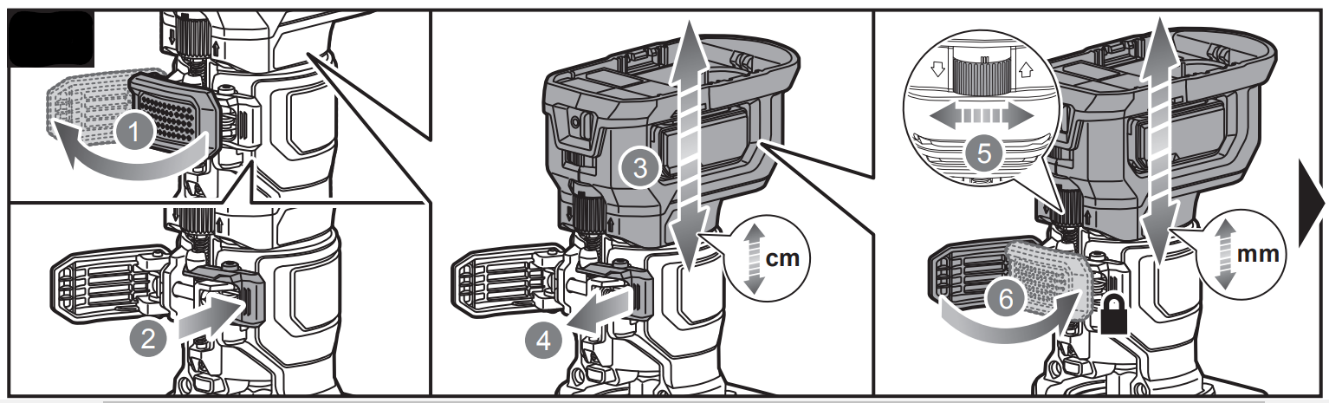
RTR18C, R18TR2-0, RTR400-S





